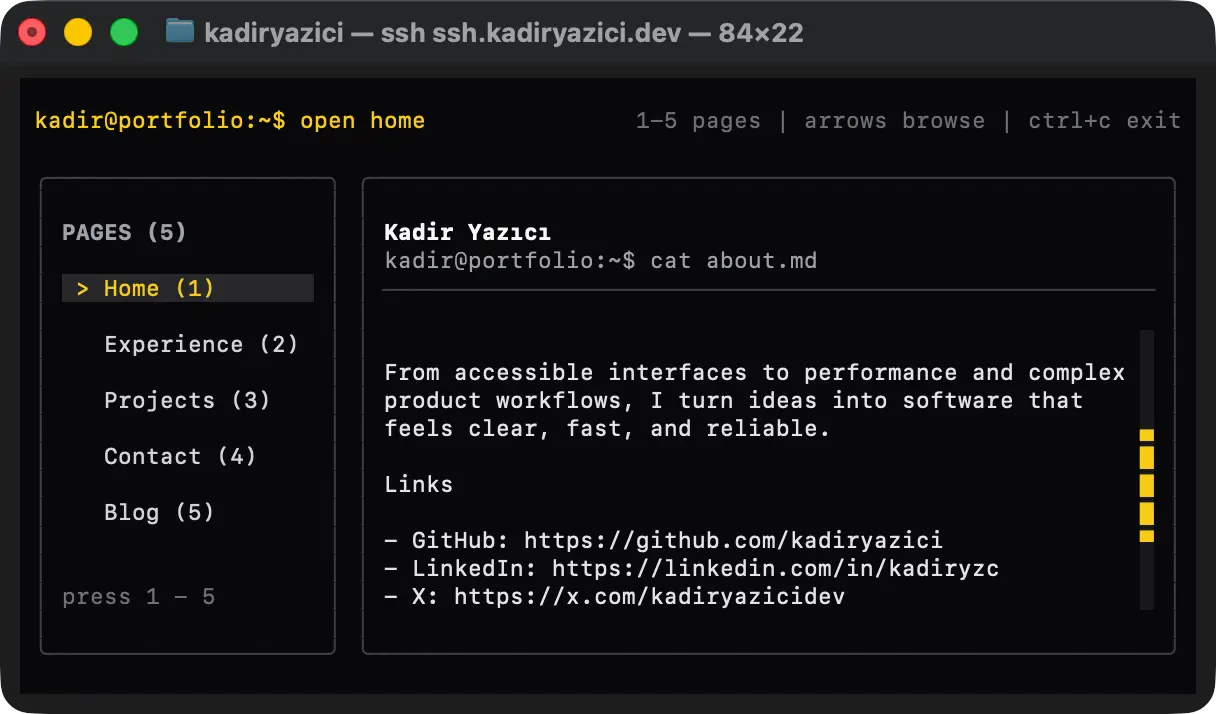
I came across `terminal.shop` while surfing the web, and its SSH-based system amazed me instantly. I wondered how it worked and what SSH actually was. Okay, do not judge me because I did not know what SSH was. I have learned, I promise.
Basically, SSH is another type of TCP connection protocol, mainly used for remote terminal access to virtual machines. But you can also serve a terminal process over an SSH session, and TUI apps are perfect for this. A TUI app is just like a regular frontend application, but rendered with text instead of graphics, so it limits the freedom to create interfaces. But the limits improve our imagination.
I decided to build an SSH version of my portfolio. I had never seen an SSH portfolio in my life, and I wanted to be one of the exceptions. But to do that, I had to learn about SSH, virtual machines, and TUIs first.
##Learning TUI and VM
Actually, it was not that hard to learn TUI thanks to `@opentui/react`. It took me 30 minutes to get started with it, and serving it with Bun was so easy.
But there was a problem I needed to solve: how would I serve this to people over my domain? My main HTTP server is deployed on Vercel, and it does not support SSH functionality. After some research, I came across Oracle Free VM. I set up a user account, a virtual machine, port forwarding, remote SSH control, an SSL certificate, a subdomain for my domain, and an automatic restart system in case the process ever crashes.
It took my whole night to set up a virtual machine for the first time, and I want to admit that I would not have been able to do it this quickly if I did not get help from ChatGPT. I asked it to give me instructions one by one, and it answered my questions correctly. AI is such an amazing learning opportunity nowadays.
Anyway, I am so glad that I learned about SSH development. One new skill goes to the CV.
Check it out at `ssh ssh.kadiryazici.dev`